
What Texas County Court Dockets Show
A docket is the chronological log a court keeps for a single case. Each line, called a docket entry, marks one action: a petition filed, a motion, a hearing set, an order signed, a plea entered, or a final disposition. The Court Clerk in Texas County calls the master version of this log the appearance docket, and it is maintained for every case filed in the District Court. Read in order, the entries tell you when a case opened, who is involved, what the court has done, and whether the matter is still active or closed.
A docket is not the same thing as the full case file. The file holds the actual documents, such as the petition, signed orders, journal entries, and exhibits. The docket only names those events and lists their dates. For many people that is enough to track a case, confirm a hearing, or check an outcome before requesting copies.
Texas County also has two separate docket streams. The District Court docket covers criminal, civil, family, probate, small claims, protective order, and District Court traffic matters. Guymon Municipal Court keeps its own docket for city ordinance, parking, and municipal traffic cases, and those entries do not appear in the District Court system.
How to Find Texas County Court Dockets Online
Two statewide systems carry Texas County District Court dockets. On Demand Court Records, known as ODCR, is the search tool the county links as its District Court Records source, and it handles name, party, case type, and filed-date searches. The Oklahoma State Courts Network, OSCN, lists the Texas County District Court in its statewide docket search and adds case-number lookups, party searches, daily docket reports, and District Court citation searches. Using both is smart, because record coverage varies by county participation and record type.
The ODCR public search page is the practical starting point for a quick name or case-number check across participating Oklahoma courts. You can open the ODCR court-record search and select Texas from the court list before running a query.
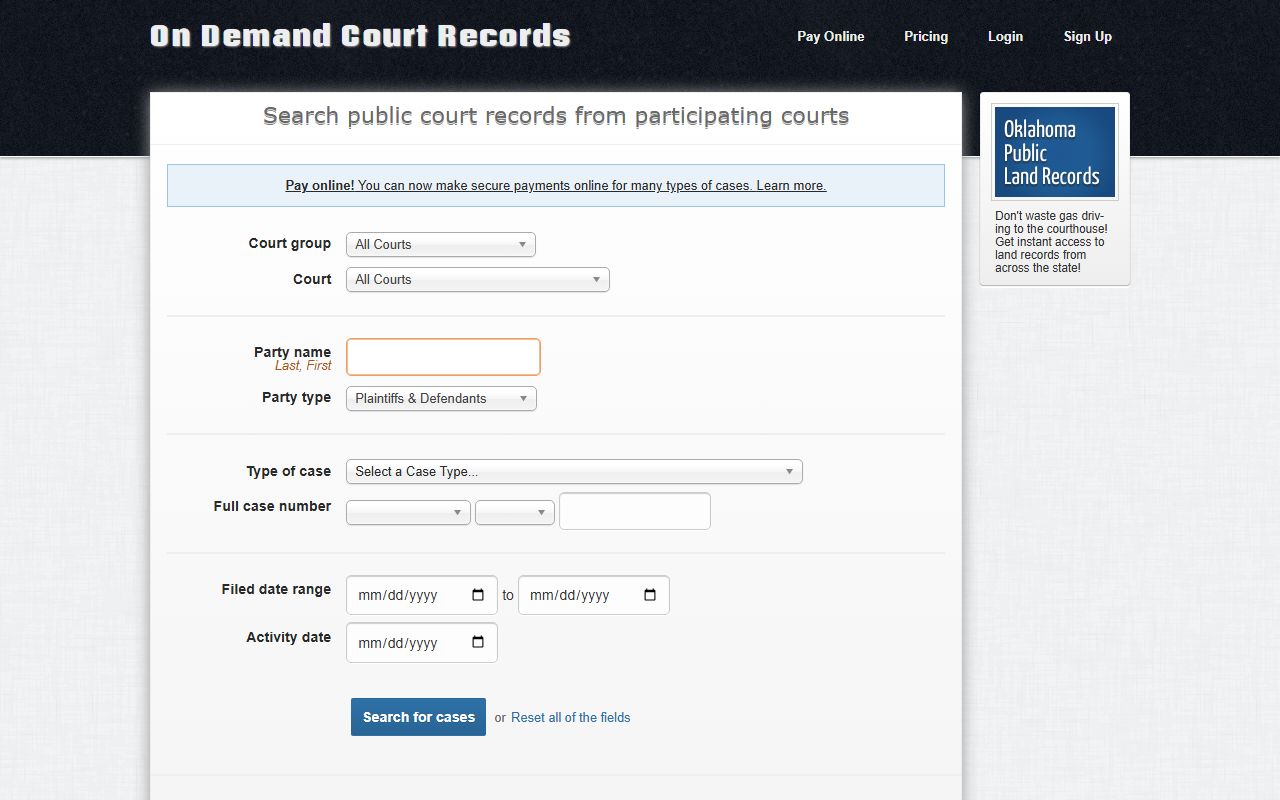
The ODCR form lets you filter by court, party name, party type, type of case, and a full case number built from a prefix, year, and number. A clean search there usually returns a docket you can open without a fee for public records that publishing courts provide.
- Open ODCR or the OSCN docket search and choose Texas County District Court.
- Pick the matter type, since the District Court and Guymon Municipal Court keep separate dockets.
- Enter a full case number when you have one, using the prefix, filing year, and case number.
- Search by party name if the number is unknown, using Last, First format and narrowing by case type or date.
- Open the docket and read the entries in order to confirm parties, hearings, orders, and disposition.
Note: A charge or filing shown on a docket is not proof of a conviction, and a case missing from an online portal does not prove no case exists.
Information in a Texas County Docket Entry
Each docket entry packs several pieces of information into one line. Together the entries answer the basic questions about a case: who filed it, what was done, when a hearing is set, and how the matter ended. The fields below are the ones that appear most often when you open a District Court docket for Texas County.
| Field | What It Shows |
|---|---|
| Filing Date | The date a document was filed or an event was recorded, listed in order from case opening forward. |
| Parties | Names and roles such as plaintiff, defendant, petitioner, respondent, the State, estate, ward, or attorney. |
| Event / Entry | The action recorded, such as petition filed, information filed, motion, summons, plea, or journal entry. |
| Hearing | Date, time, event type, assigned judge, and courtroom when the system lists it. |
| Order | A judge's written directive entered into the case, including continuances and rulings. |
| Disposition | The current or final outcome of a charge or the whole case, such as dismissed, judgment, or sentence. |
Many dockets also carry financial lines for court costs, fines, restitution, bonds, and payments, plus warrant entries when a defendant fails to appear or pay. Some systems show document links next to an entry, but a screenshot is not an official copy. Certain details stay hidden by rule, including Social Security numbers, financial-account numbers, dates of birth, home addresses, and the names of minor children.
Case Number Prefixes on Texas County Dockets
Oklahoma case numbers begin with a letter prefix that names the case type, followed by the filing year and a sequence number. Reading the prefix tells you what kind of matter you are looking at before you open the docket, and it helps you pick the right case-type filter in ODCR or OSCN. A number like CF-2014-1 marks a felony filed in 2014. The prefixes below are the ones that show up most on Texas County District Court dockets.
| Prefix | Case Type |
|---|---|
| CF | Criminal Felony |
| CM | Criminal Misdemeanor |
| CP | Criminal Property |
| SW | Search Warrant |
| CJ | Civil Jurisdiction |
| CV | Civil / Special Civil |
| FD | Family and Domestic, including divorce |
| PB | Probate |
| PG | Guardianship |
| PO | Protective Order |
| SC | Small Claims |
| TR | Traffic |
| WL | Wildlife |
| YO | Youthful Offender |
| ML | Marriage License |
The case-type filters in both portals mirror these labels. A wider look at how cases are organized, and what each file holds, sits with the broader Texas County court records resources.
Courts That Publish Texas County Dockets
Not every Texas County case lands in the same docket system. The District Court is the trial court of general jurisdiction, so its docket is the one most people need, and it is the docket carried by the statewide search tools. Guymon Municipal Court runs its own city docket and is not part of the statewide District Court search. The OSCN docket landing page is the central index for these statewide searches.
The OSCN docket landing page lists docket search, available court records, statewide reports, and the Texas County District Court itself.
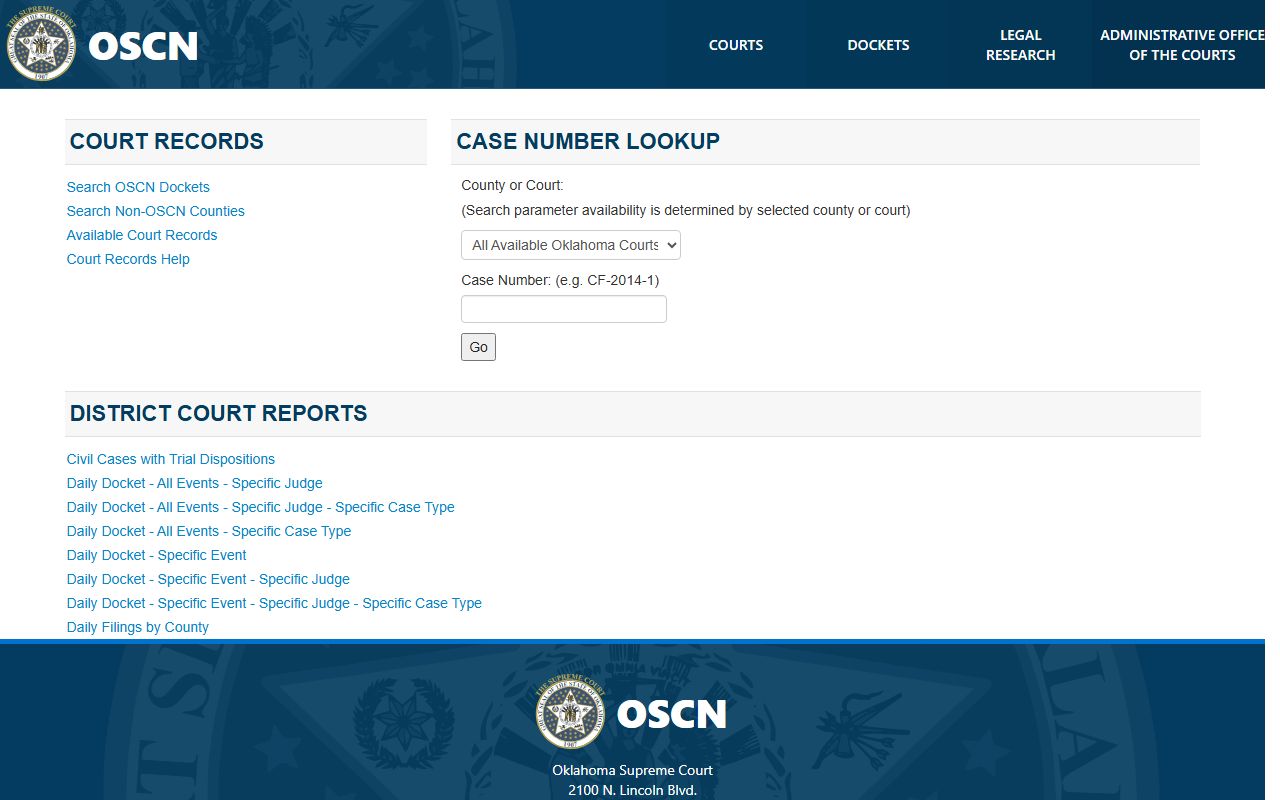
From that landing page you can reach the docket search, the reports menu, and the list of counties that are searchable through OSCN versus those handled elsewhere. The courts and tools below cover where Texas County docket information lives.
- Texas County District Court: criminal, civil, family, probate, small claims, protective order, and District Court traffic dockets, searchable in OSCN and ODCR.
- Guymon Municipal Court: city ordinance, parking, and municipal traffic dockets, kept separately from the District Court and not in the statewide search.
- Oklahoma appellate courts: Supreme Court, Court of Criminal Appeals, and Court of Civil Appeals dockets, also reachable through OSCN.
Note: OSCN states its citation search covers District Court citations only and does not search municipal citations, so a Guymon ticket will not appear there.
OSCN Daily Docket and Filings Reports
Beyond single-case lookups, OSCN publishes standing reports that pull docket activity across a court for a day or a case type. These help attorneys, reporters, and the public see what is set on a given date or what was filed in a county. The OSCN search form is where most party, case-number, and citation queries begin before you move to a report.
You can build a party or case-number query on the OSCN docket search form, which offers court selection, name fields, birth-date ranges, case-type filters, and a District Court citation field.
The search form lets you limit results by county or court, party type, case type, and the dates a case was filed or closed. Once you know a court and a date, the daily reports become useful. OSCN offers these docket reports from its docket page:
- Civil Cases with Trial Dispositions
- Daily Docket, All Events, for a specific judge or case type
- Daily Docket, Specific Event, with judge and case-type variants
- Daily Filings by County
Daily Filings by County is the quickest way to scan what opened in a county on a date, while the Daily Docket variants show what events are scheduled and before which judge.
Hearing Dates and Events on a Docket
A large part of a docket's value is its calendar of hearings. Each scheduled event line can show the date, the time, the event type, the assigned judge, and a courtroom when the system lists one. Arraignments, motion hearings, pretrial conferences, trial settings, and continuances all appear as their own entries. Watching these lines lets a party or an observer know when to appear and how a case is being managed.
Settings change often. A continuance moves a date, a new motion adds a hearing, and a disposition closes the calendar. Because the District Court sits in Judicial District 1 with Beaver, Cimarron, and Harper Counties, scheduling can also reflect district-wide assignments and local rules. The online docket should be treated as a guide, not a guarantee, for any specific date.
When a hearing is missed, the docket may show a bench warrant or a failure-to-appear entry. For criminal matters, the full sequence of charges, pleas, and sentencing is laid out in the Texas County criminal court records for that case.
Docket Entries vs. Full Court Documents
The docket and the case file serve different jobs. The docket is the index of events; the file holds the documents those events created. Online dockets are convenient and often free, but they do not replace the certified copies the Court Clerk keeps. For a divorce decree, a judgment, an order, or any document needed for legal or official use, the certified copy comes from the Texas County Court Clerk, not from a printed web page.
| Docket | Full Case Record | |
|---|---|---|
| Format | List of dated entries | Actual filed documents |
| Access | Often online and free | From the Court Clerk, may need a fee or visit |
| Use | Track case progress and hearings | Legal review, evidence, certified copies |
Older records, sealed or expunged cases, juvenile matters, adoption files, and mental-health proceedings may not appear online at all. The Court Clerk records counter is the place to ask for those, to confirm whether a document exists, and to order a certified copy. A docket can point you to the right case, but the clerk's office completes the request.